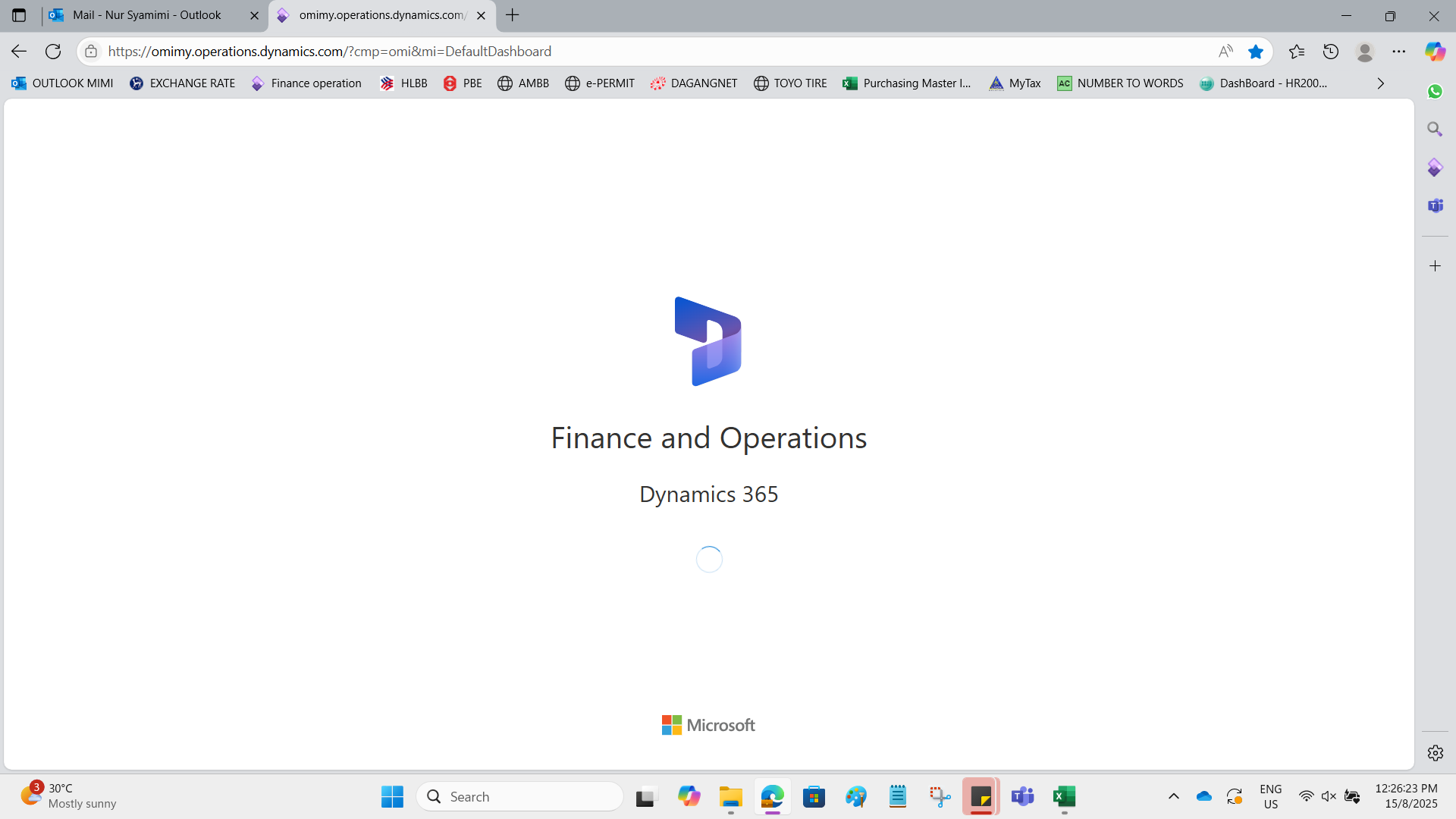
If you are facing the issue as the screen above.
The user may be able to self-service/self-support in this.
Step 1:
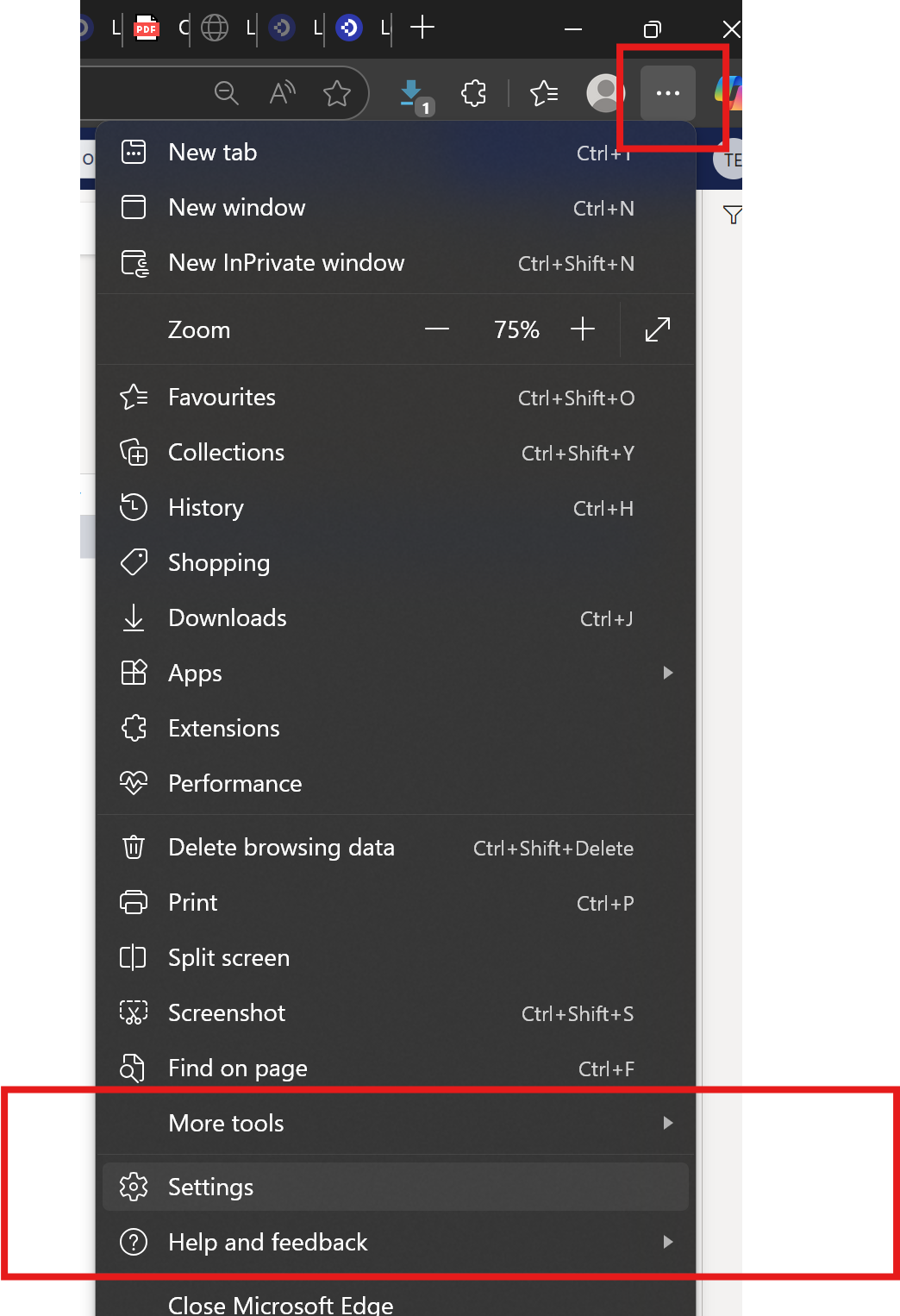
Step 2: Go to Clear browsing data

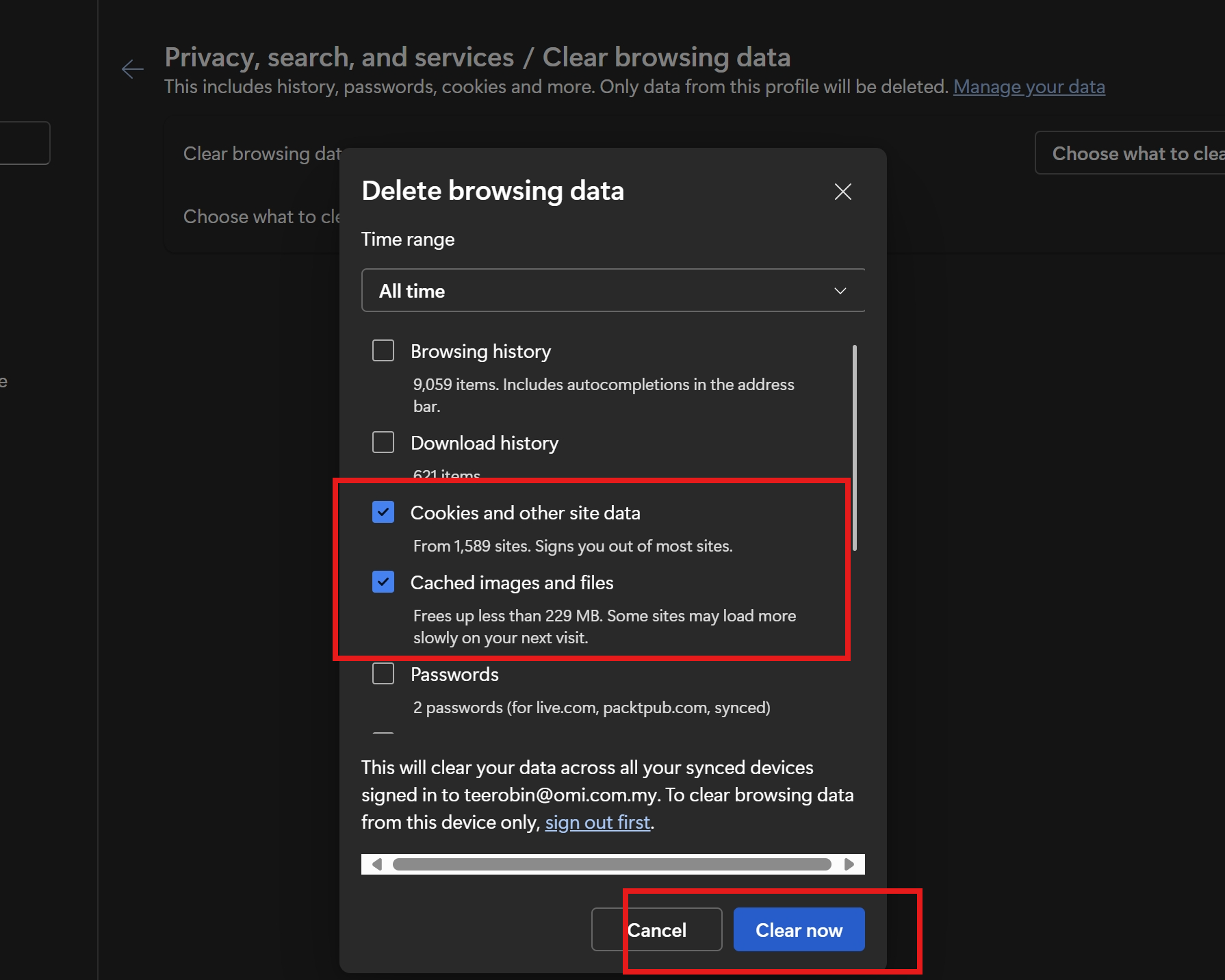
Step 3: Go to Clear browsing data > Cookies and other site data and Cached images and files and then click Clear now
Step 4: Close the D365 tab and close the browser
Step 5: Open the browser, and click the D365 URL
Was this article helpful?
That’s Great!
Thank you for your feedback
Sorry! We couldn't be helpful
Thank you for your feedback
Feedback sent
We appreciate your effort and will try to fix the article